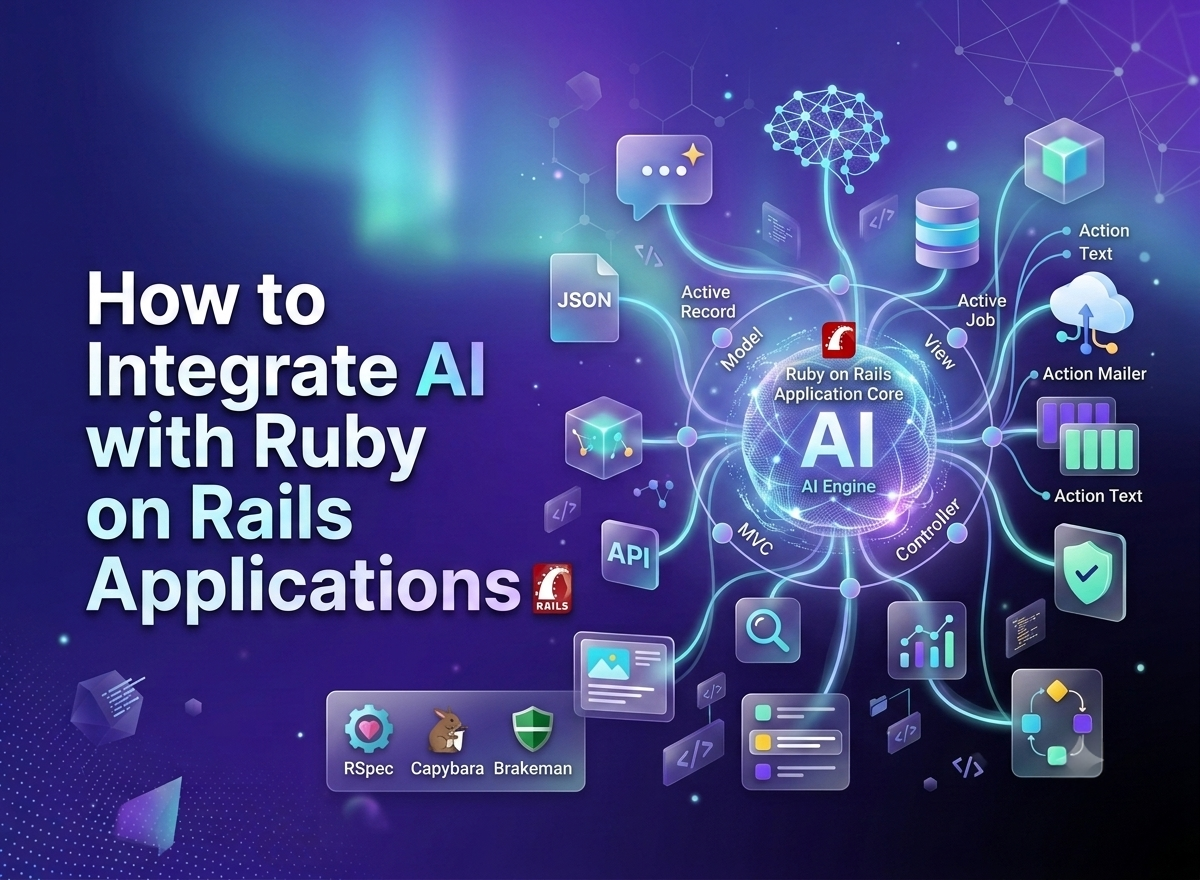
Artificial intelligence is no longer a "nice to have" feature limited to Silicon Valley startups. Today, businesses of every size are embedding AI capabilities like chatbots, recommendation engines, content generation, and predictive analytics into their web applications. If you're building on Ruby on Rails, the good news is that integrating AI into your application is more accessible than ever.
This guide walks you through practical ways to integrate AI with Ruby on Rails applications, the tools you'll need, and best practices to keep your implementation clean, scalable, and secure. Whether you're managing an in-house team or working with a company that offers Ruby on Rails development services, these strategies will help you add AI capabilities the right way.
Why Add AI to Your Rails Application?
Ruby on Rails has long been praised for its developer productivity, convention over configuration philosophy, and rapid prototyping capabilities. Pairing these strengths with AI opens up powerful possibilities:
- Smarter user experiences: Personalized recommendations, intelligent search, and dynamic content.
- Automation: Reducing manual work through AI powered workflows like customer support triage or content moderation.
- Data driven insights: Using machine learning models to analyze user behavior and business metrics.
- Competitive advantage: Staying relevant as AI becomes a standard expectation in modern software.
The best part is that you don't need to rebuild your application from scratch. Rails' modular architecture makes it straightforward to plug AI services into existing controllers, models, and background jobs. Many companies choose to partner with experienced Ruby on Rails development services to accelerate this process, especially when AI features need to be shipped quickly without sacrificing code quality.
Popular Ways to Integrate AI with Rails
There are several approaches depending on your use case, budget, and technical requirements.
1. Using Third Party AI APIs
The fastest way to add AI features is by connecting to hosted AI APIs such as OpenAI, Anthropic, or Google Gemini. These services handle the heavy lifting of model training and infrastructure, letting you focus on building features.
To integrate an AI API into Rails:
- Add the relevant gem or use Ruby's built in net/http or faraday library to make HTTP requests.
- Store your API key securely using Rails credentials (rails credentials:edit) rather than hardcoding it.
- Create a dedicated service object, for example app/services/ai_service.rb, to encapsulate all AI related logic.
- Call the service from your controllers or background jobs, keeping your models and views clean.
This service object pattern keeps your codebase organized and makes it easy to swap providers later if needed.
2. Background Jobs for AI Processing
AI API calls can take a few seconds to complete, and blocking a web request during that time creates a poor user experience. Instead, use Active Job with Sidekiq or Resque to process AI requests asynchronously.
For example, if you're generating AI powered product descriptions, you can queue a job that calls the AI service, stores the result in the database, and then notifies the user via Action Cable or a simple polling mechanism once it's ready.
This approach keeps your application responsive and prevents timeouts, especially under heavy traffic.
3. Embedding Machine Learning Models Locally
If you need more control over your AI models or want to avoid third party API costs, you can run machine learning models directly within your Rails environment using libraries like:
- Rumale: A Ruby machine learning library similar to scikit learn.
- TensorFlow.rb: Ruby bindings for TensorFlow.
- ONNX Runtime: For running pre-trained models exported in the ONNX format.
Alternatively, many teams build a lightweight Python microservice using Flask or FastAPI to host their models, then communicate with it from Rails via REST or gRPC. This hybrid approach lets you use Python's mature machine learning ecosystem while keeping your core application in Rails.
4. Vector Databases for AI Search and Retrieval
If you're building AI features like semantic search or retrieval augmented generation (RAG), you'll likely need a vector database such as Pinecone, Weaviate, or pgvector, which integrates directly with PostgreSQL.
With the pgvector gem, Rails developers can store embeddings alongside their existing data and perform similarity searches without maintaining a separate database system. This is particularly useful for applications like document search, chatbots with contextual memory, or content recommendation engines.
Best Practices for AI Integration in Rails
Keep AI Logic Decoupled
Avoid scattering AI API calls throughout your controllers and models. Instead, use service objects, and consider the plain old Ruby object (PORO) pattern to keep your AI logic testable and maintainable.
Handle Errors and Rate Limits Gracefully
AI APIs can fail, time out, or hit rate limits. Wrap your API calls with proper error handling and consider implementing retry logic with exponential backoff using gems like retriable.
Cache Responses When Appropriate
If your AI feature generates similar outputs for repeated inputs, use Rails' caching mechanisms such as Rails.cache to avoid unnecessary API calls and reduce latency and costs.
Monitor Costs and Usage
AI APIs are often billed per token or per request. Track usage with logging and monitoring tools so you can catch unexpected spikes before they impact your budget.
Secure Sensitive Data
Never send personally identifiable information (PII) to third party AI services without proper safeguards. Sanitize user inputs and review the data handling policies of any AI provider you use.
Test Thoroughly
Mock AI API responses in your test suite using tools like WebMock or VCR so your tests remain fast and reliable without depending on live API calls.
Example Use Cases
- Customer support chatbots built with Action Cable for real time messaging combined with an AI API for natural language responses.
- Content generation tools that help users draft blog posts, product descriptions, or emails.
- Fraud detection systems that flag suspicious transactions using machine learning models.
- Personalized recommendations for e-commerce platforms based on user browsing and purchase history.
- Automated document processing using AI to extract and categorize information from uploaded files.
Final Thoughts
Integrating AI with Ruby on Rails doesn't require a complete overhaul of your tech stack. By leveraging third party APIs, background job processing, and tools like pgvector, you can add intelligent features while keeping the simplicity Rails is known for. Start small with one feature, like smart search or a chatbot, and expand as you see what delivers value. If you need extra support, partnering with a trusted provider like W3villa Technologies can help you move faster and build on a solid foundation."