Introduction
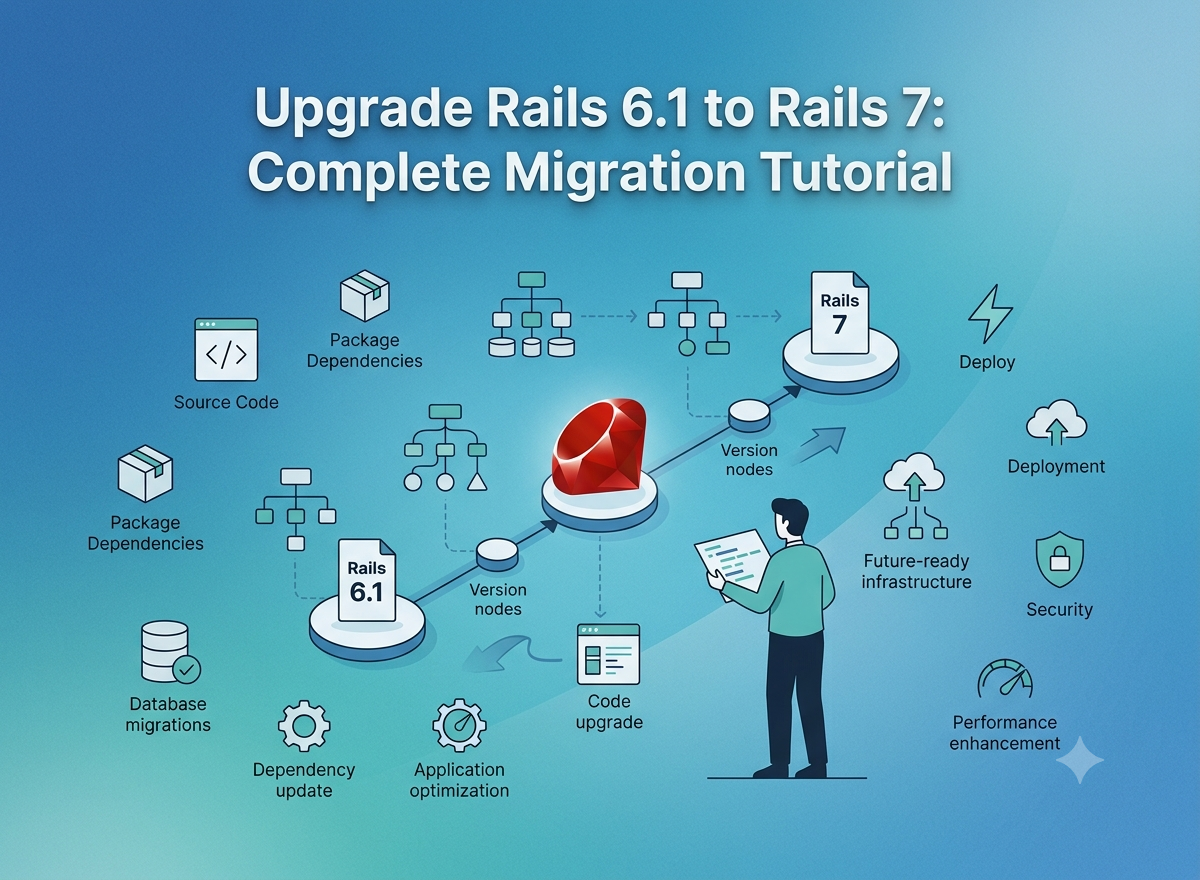
Technology evolves rapidly, and keeping your web application updated is essential for maintaining performance, security, and long term scalability. If your application is still running on Rails 6.1, upgrading to Rails 7 can unlock modern features and improve the overall development experience.
Rails 7 introduces enhanced frontend tools, better JavaScript handling, improved performance, and streamlined workflows for developers. However, migration requires careful planning to avoid compatibility issues and downtime.
This complete tutorial explains how to upgrade from Rails 6.1 to Rails 7 step by step while ensuring a smooth and successful migration.
Why Upgrade from Rails 6.1 to Rails 7?
Before beginning the migration process, understanding the benefits of Rails 7 is important.
Some major advantages include:
- Faster application performance
- Improved security and maintenance
- Better frontend development with Hotwire and Turbo
- Modern asset management options
- Enhanced developer productivity
- Long term framework support
Upgrading is not only about accessing new features but also about keeping your application future ready.
Pre-Migration Checklist
A successful Rails upgrade starts with preparation. Before making any changes, complete these important checks.
Backup Your Project
Create backups of:
- Application source code
- Database
- Configuration files
- Uploaded assets
Using Git version control is highly recommended.
Create a dedicated upgrade branch:
git checkout b rails7 upgrade
This keeps your existing production code secure.
Review Current Dependencies
Some gems used in Rails 6.1 may not support Rails 7.
Check your dependencies carefully and prepare a list of gems that may require updates.
Common examples include:
- Devise
- Sidekiq
- ActiveAdmin
- Webpacker
- Kaminari
Updating dependencies early reduces migration complications.
Step 1: Upgrade Ruby Version
Rails 7 works best with modern Ruby versions.
Check your current version:
ruby -v
If required, upgrade Ruby:
rbenv install 3.2.0
rbenv global 3.2.0
After upgrading, verify with:
ruby -v
A compatible Ruby version prevents package conflicts during installation.
Step 2: Update Rails Version in Gemfile
The next step is updating the Rails gem.
Find:
gem 'rails', '~> 6.1.0'
Replace with:
gem 'rails', '~> 7.0.0'
Now install updated dependencies:
bundle update rails
bundle install
Step 3: Update Rails Configuration Files
Rails includes a built in update command to help migrate configuration files.
Run:
rails app:update
This command compares your existing configuration with Rails 7 defaults.
During the process you may be asked whether to overwrite files.
Do not replace files automatically.
Instead:
- Compare differences
- Preserve custom settings
- Merge only required changes
Important files include:
- application.rb
- environments configuration
- initializers
- bin files
Careful merging prevents unexpected application behavior.
Step 4: Handle Frontend and JavaScript Changes
Rails 7 modernizes frontend development.
Many Rails 6.1 applications rely on Webpacker, but Rails 7 provides alternatives such as:
- Import Maps
- jsbundling-rails
- cssbundling-rails
For Import Maps installation:
rails importmap:install
For JavaScript bundling:
rails javascript:install:esbuild
Choose the setup that best matches your project requirements.
Simple projects often benefit from Import Maps, while JavaScript heavy applications may prefer bundlers.
Step 5: Run Database Migrations
After dependencies and configurations are updated, migrate the database.
Run:
rails db:migrate
Then verify schema updates:
rails db:schema:dump
During this stage look for:
- Deprecated queries
- Association warnings
- Validation issues
- Database compatibility problems
Early detection prevents production failures later.
Step 6: Fix Deprecation Warnings
Deprecation warnings are extremely useful during migration.
Start the Rails server:
rails server
Carefully review logs.
Common warnings involve:
- Old syntax
- Deprecated helpers
- Callback behavior
- ActiveSupport changes
- Legacy configurations
Fixing these warnings improves compatibility and keeps the codebase clean.
Ignoring warnings may create larger problems in future Rails updates.
Step 7: Test the Application Thoroughly
Testing is one of the most critical stages of the migration.
Run your test suite:
rails test
Or with RSpec:
bundle exec rspec
Test all major areas including:
- Models
- Controllers
- APIs
- Background jobs
- User flows
Failed tests usually highlight hidden migration issues.
Typical fixes include:
- Updating expectations
- Adjusting fixtures
- Modifying request specs
- Handling Turbo behavior changes
A stable test suite increases deployment confidence.
Step 8: Verify Frontend Functionality
Even if backend tests pass, manual frontend testing is necessary.
Check:
- Navigation
- Forms
- JavaScript interactions
- Turbo behavior
- Styling and layouts
Rails 7 introduces different frontend handling, so certain features may behave differently.
Manual testing ensures users experience a seamless transition.
Deployment Best Practices After Migration
Once testing is complete, deployment should be handled carefully.
Recommended deployment checklist:
- Run all tests again
- Review logs
- Verify migrations
- Test staging environment
- Prepare rollback plans
- Monitor performance after release
Gradual deployment and monitoring help detect issues quickly.
Conclusion
Upgrading from Rails 6.1 to Rails 7 is a valuable investment for modern web applications. While the migration process requires planning and testing, the long term benefits make the effort worthwhile.
By updating Ruby, managing dependencies, handling frontend changes, fixing warnings, and testing thoroughly, developers can complete the migration confidently and take full advantage of Rails 7's powerful features.
For businesses looking to simplify their Rails migration journey, expert guidance can ensure faster upgrades and minimal disruption. W3villa Technologies is a trusted Ruby on rails development company that helps organizations modernize their Rails applications with reliable development and migration support.
Contact us today to upgrade your Rails application with W3villa Technologies and get expert migration support with minimal downtime.